

Build the form your call actually needs
A stage builder with eleven field types, conditions that hide questions until they apply, and windows that open and close on schedule. Applicants draft on the server, resume later and upload their deck directly.

- 11
- 90
- 20 MB
- 250
The field types
- Short text
- Long text
- Number
- Phone
- Select
- Multi-select
- Date
- File upload
- Checkbox
- URL
How application forms work
Group the questions the way people answer them
Split a long application into stages — team, venture, documents — and applicants move through one screen at a time instead of scrolling a wall of fields. Reorder stages and fields by dragging, mark what is required, add helper text under anything ambiguous, and attach the guidance documents an applicant needs to answer well. The eleven field types cover everything a seed-fund or incubation form has ever asked for.
Ask a question only when it applies
Every field can carry a show-when rule: show the department question only when the applicant is faculty, ask for a company registration number only when the venture is incorporated. Rules read in plain language in the builder and are evaluated as the applicant types, so the form shortens in front of them. Fewer irrelevant questions means fewer abandoned drafts and cleaner data at review.
Change the form without losing the last one
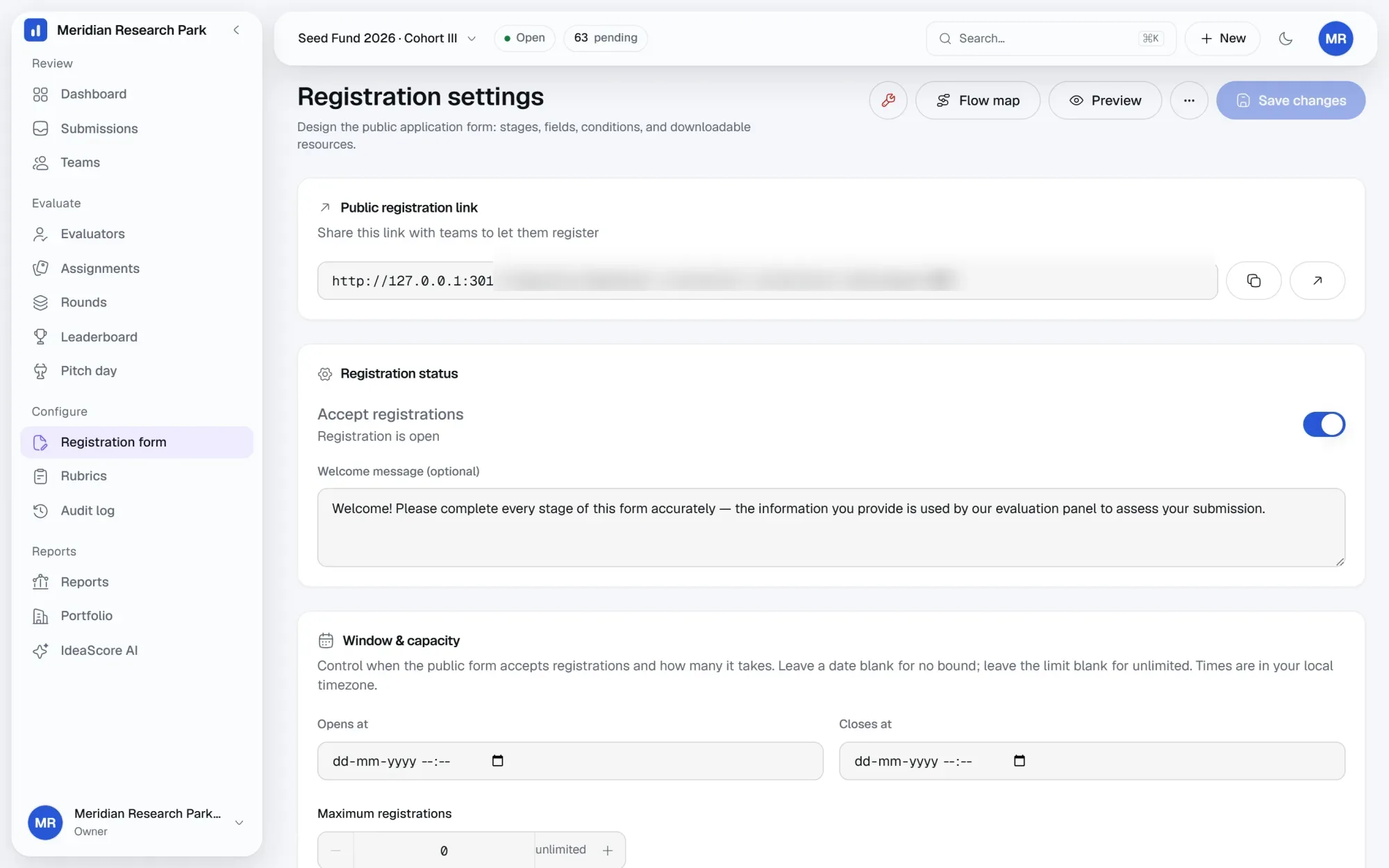
Every publish saves a version with who changed it and when. Preview the form as an applicant before you publish, compare what changed, and restore an earlier version if a question turns out to have been better worded the first time. Submissions stay attached to the version they were filled under, so a mid-call change never rewrites what someone already answered.
Open on schedule, close on capacity
Set the dates a call accepts submissions and a cap on how many it takes. The public link shows a live window state, and applicants see the deadline on every screen. Drafts are stored server-side, not in the browser, so an applicant can start on a laptop in the office and finish on a phone that evening. Files upload straight to storage rather than through the form.
Everything in applications
Stage builder
Eleven field types
Conditional fields
Attached resources
Registration windows
Capacity limits
Versioning and restore
Applicant preview
Public link
Server-side drafts
Direct file uploads
Validation on submit
Questions programme teams ask
How long can an application form be?
Can applicants edit after submitting?
What happens if we change the form mid-call?
What file types and sizes are allowed?
Do applicants need an account to start?
See IdeaScore run a call with your own rubric
A 30-minute walkthrough with a founder, using your programme's form and criteria.