

Skip to content
IdeaScore
Pitch day

Run the final round without a laptop full of tabs

Start, pause and move to the next team from one panel, while a public projector board shows the room live standings as scores land.

How it works

Running the room

One panel for the person in charge, one board for everyone else.

Session control

One panel for the person running the room

The programme admin controls the whole session from a single screen: which team is up, how long they have left, and who is next. No shouting across the hall to find the next presenter.

  • Start, pause and skip to the next team
  • Per-team countdown timer, visible to the presenter
  • Queue of the next three teams, always visible
  • Session pauses hold the timer, they do not reset it
Seed Fund 2026 · Cohort IIISession live

Now pitching

Farmlight

04:32
StartPauseNext

Next up

  • 1Quorum Bio
  • 2Tessel Labs
  • 3Orrin Health
Projector board

A live standings board the whole room can see

A dark, high-contrast board for the projector or a second screen: current presenter, their timer, and the standings as scores land. Rank one is marked, not just numbered.
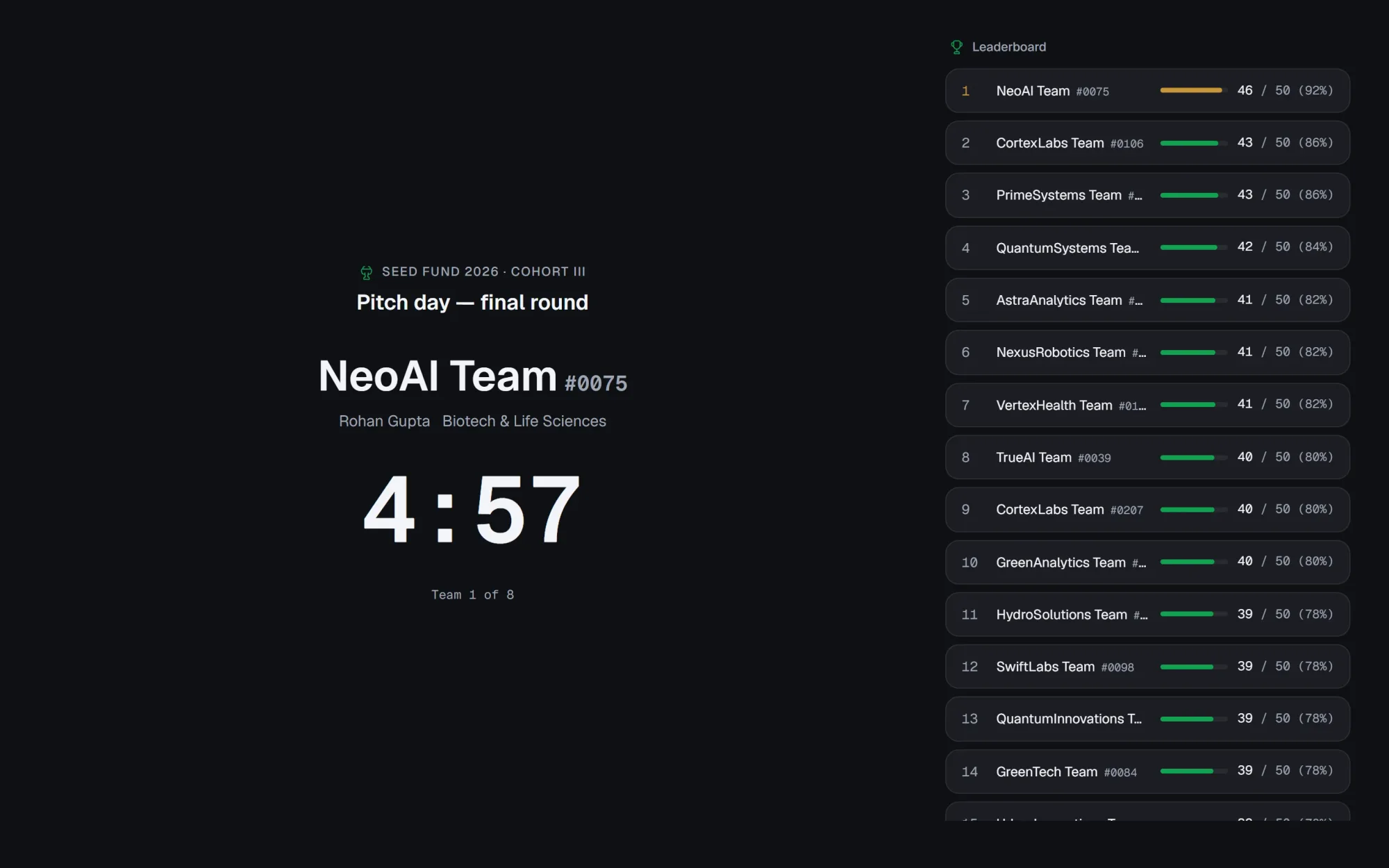
  • Standings for the top five teams, updated live
  • Rank one carries the gold marker, the rest are plain
  • Public projector URL, no sign-in for the room screen
  • Same board works on a laptop, a TV or a hall projector
Pitch-day projector board showing the current team, a live countdown and standings
The projector board during a final round: current team, countdown and live standings
Order and timing

Presenter order and timing, set once

Programme admins set the running order and slot lengths before the session starts, then let the session control panel keep everyone honest on the day.

  • 12 finalists in a fixed running order
  • 6 minutes to pitch, 4 minutes for questions
  • Breaks scheduled between blocks of teams
  • Order can be adjusted before the session opens
Running order12 finalists
  • 1–4Finalists 1 to 46 min pitch + 4 min questions
  • Break10 min
  • 5–8Finalists 5 to 86 min pitch + 4 min questions
  • Break10 min
  • 9–12Finalists 9 to 126 min pitch + 4 min questions
Pitch day

Everything in pitch day

  • Live session control

    Start, pause and move to the next team from one screen.

  • Per-team timer

    A countdown for pitch time and a separate one for questions.

  • Public projector board

    A read-only public URL for the room screen, no sign-in.

  • Live standings

    The top five teams re-rank as scores are submitted.

  • Presenter order

    Set the running order once, adjust it before the session opens.

  • Scoring during the session

    Evaluators in the room score from their own device while a team presents.

  • Breaks and buffers

    Schedule breaks between blocks so the session runs to time.

  • Session log

    Every start, pause and score lands in the programme's audit log.

FAQ

Questions about pitch day

Can evaluators score while a team is presenting?
Yes. Evaluators use their own device to score against the round's rubric while the session control panel and projector board run in the hall.
Is the projector board public?
The projector board has its own read-only link for a room screen or TV. It shows standings and the current presenter; it does not need a sign-in.
Can the running order change after the session starts?
The programme admin can move to any team in the queue from the session control panel, but the published running order is meant to be set before the doors open.
What happens to the timer when the session is paused?
Pausing holds the countdown where it is; resuming continues from the same time rather than restarting the clock.
Does the projector board stay up after the session ends?
The board is designed to be shown live during the session; ask your programme admin about keeping a results view up afterwards.

Watch a pitch day run on your own rubric

A 30-minute walkthrough of session control and the projector board, using your programme's running order.