

Show the committee where every application went
A funnel from submission to finalist, sector and TRL mix, evaluator throughput, and a committee report that emails itself on schedule.

From funnel to committee report
Every number the committee asks for, produced from the same records the evaluators scored.
See the whole call, stage by stage
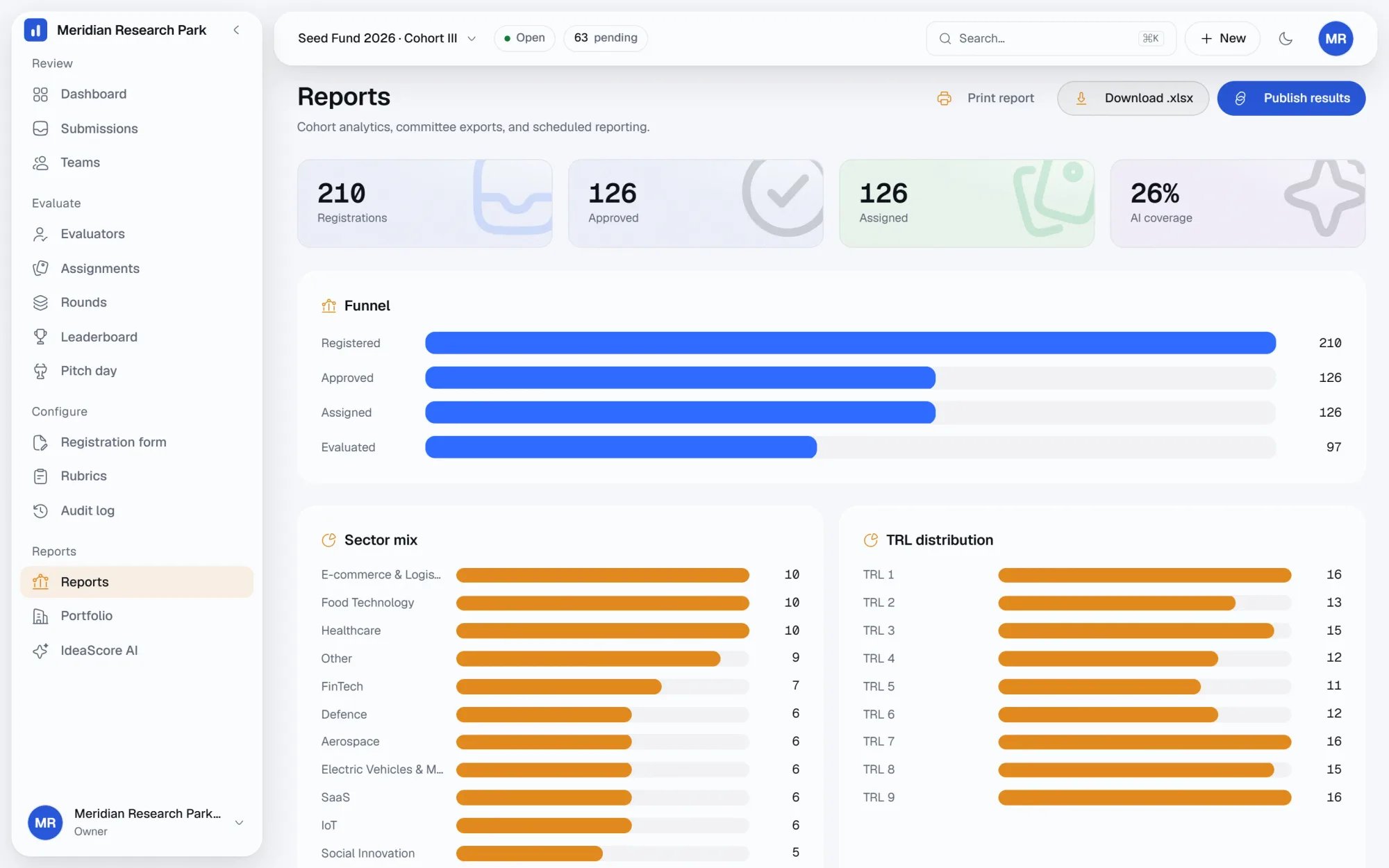
A single funnel shows how a cohort narrows from submission to finalist, so a committee can see where applications were screened out before it sees any names.
Sector and TRL mix without a spreadsheet
Reports break the cohort down by sector and technology readiness level automatically, so a programme team can see where a call is skewing before the next window opens.
Know who is behind and where AI has already looked
A throughput view shows how many scores each evaluator has submitted against their workload, alongside how much of the cohort IdeaScore AI has already researched.
Reports that land in an inbox on schedule
A committee-ready report exports as Excel or HTML, can be scheduled by email to a distribution list, and a public results page can be published once a decision is made.
Everything in reports
Submission funnel
Sector mix
TRL mix
Evaluator throughput
AI coverage
Committee report, xlsx
Committee report, html
Scheduled email reports
Public results page
Questions about reports
Can I filter the funnel by round or sector?
What format is the committee report in?
Who receives scheduled reports?
Is the public results page on by default?
How long is report history kept?
See a committee report built from your own rubric
A 30-minute walkthrough of the funnel, sector mix and a scheduled committee report.